

Filter by Form Access
Create custom filters to search and view specific records using Filter by Form in Access
Pruebe este curso con una prueba gratuita


The Filter by Form feature makes it easy to create a filter using more than one criterion. You can filter by form when working in tables, forms, or queries.
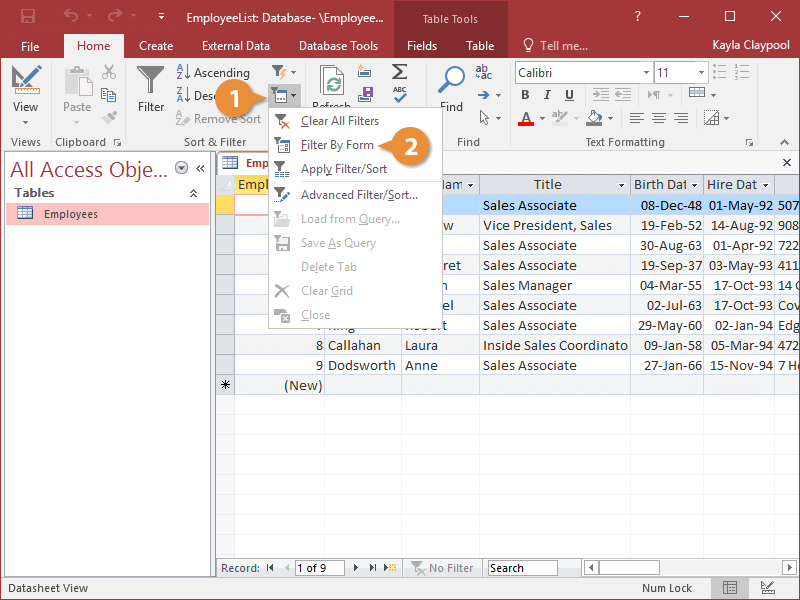
- Click the Advanced Filter Options button.
- Select Filter by Form.
In the Filter by Form window, you can specify your filter criteria by using the two tabs at the bottom of the window.
The Look for tab will only display records that match all the criteria set there.
If you specify filter criteria on an Or tab, Access will display records that match either the criteria on the Look for tab, or criteria on the Or tab.
- Click the empty cell below the field you want to filter.
- Click the list arrow and select the value you want to use to filter the records.
You can also enter filter criteria by typing it yourself.
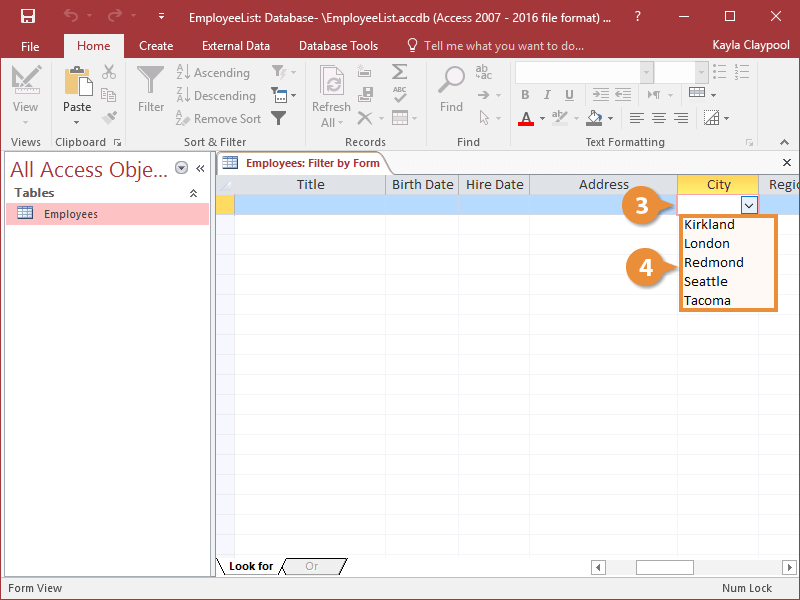
- Repeat Steps 3-4 to add additional criteria.
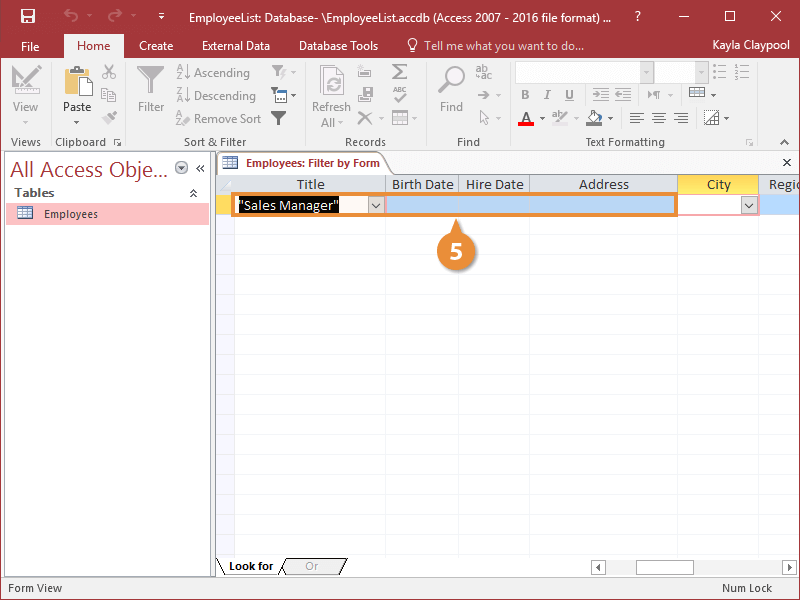
- (Optional) Click the Or tab and enter alternative criteria.
Any criteria added here will be searched for in addition to your original criteria.
- Click the Apply Filter button.
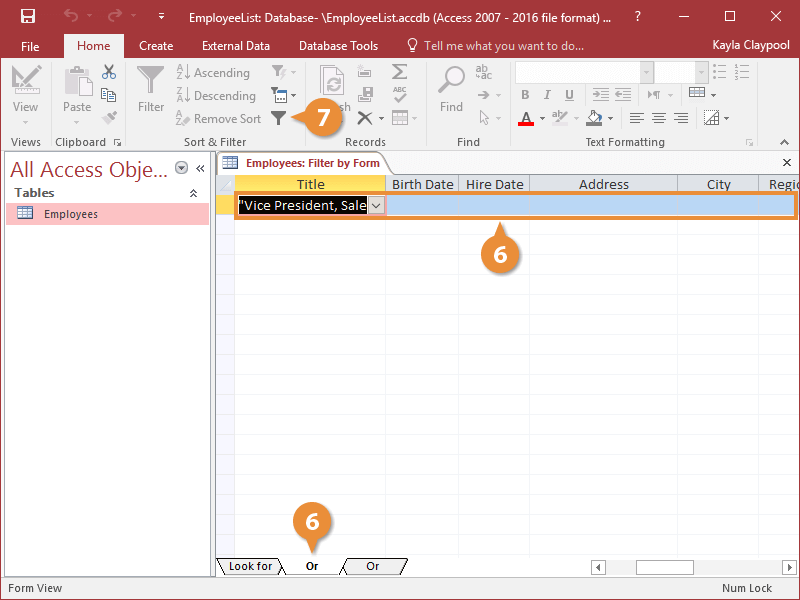
Access applies the filter.